Search
Search
Home
/
🛠 Agent - Configurations
/
User Set Up
/
Edit / Update your Logo
Edit / Update your Logo
Last updated January 16, 2023
Copy page
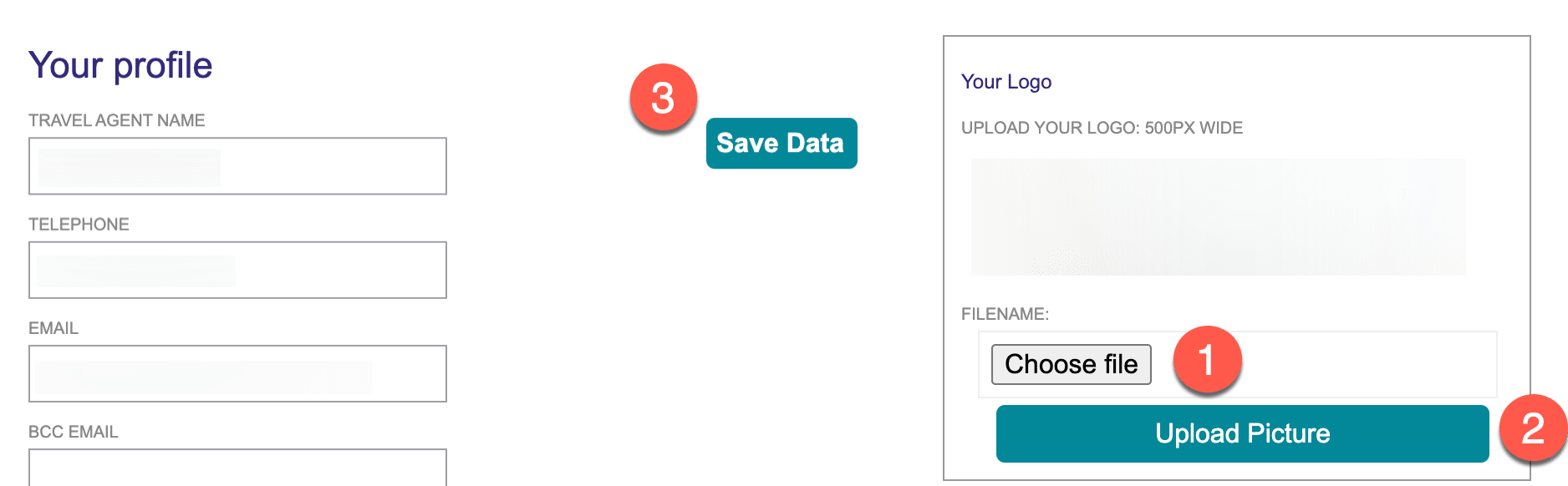
You can add a new logo at any time by:
1. Navigate to 'Edit Profile'
2. Under your existing logo - add a new logo by selecting the logo on your computer and then click on 'Upload Picture'
3. Save your profile
WAS THIS PAGE HELPFUL?
Prev · 🛠 Agent - Configurations
User profile
Next · 🛠 Agent - Configurations
Selecting Tour Operators